


Sunday, June 10, 2007

GPU Geometry Clipmaps 1.1


A small release with few improvements and bug fix :
- A update in the Z compression/ decompression process allow an higher Z Scale.
- Fix a bug in normal mapping by adding an offset of 0.5 / NormalSize.
- Support grids up to N = 1023 using 16 bits index.
- Use triangle lists instead of tristrip for Mx3 and MxM blocks for some FPS.
- Vertex buffer storage takes less than 1/12 of previous version.

Sunday, May 20, 2007

GPU Geometry Clipmaps v1.1 in progress


I am going to make a game demo and need GPUgc to manage terrain's demo. I notice that there is some bugs in my old version. First, the generation of normal maps that were too sharp. Now, I use another way to find normals and to use them while keeping the same memory usage. I also rewrite the system that let the user control max height and height scale so that it fully support the z encoding/decoding in the shader without artefacts. I plan to rewrite/correct more parts and add a "LoadFromBMP" function. Of course, i will release it once done :).

In the screenshot z goes from 0 to 1023 with a scale of 20.0 -> 20 * 1024 different values.

Friday, May 11, 2007

CryEngine2 atmospheric approach on GPU


I ported their approach on GPU and update is fast ! A 6200 can update a 256x256 map with 64 samples 9-11 times per second. With a temporary texture, you can update small quads but it's so fast that it's useless. Of course, no APG/PCIe bandwith, no cpu needed.

I also tryed to map texture into a full dome where viewer is at Origin. Some work needed to be done on shader to handle this but at last there is artefacts caused by poor tesselation of dome (always 32 rows, 32 cols on screenshots) and the uniform distribution of samples cause by low resolution texture stretching (8x8, 32x32). Problems that do not exist when using original code from O'Neil 's GPU Gems II or with a higher resolution map.

Note : On CryEngine2 they seem to map texture on a low tesselate geodesic dome. I use Oneil optimisations (GPU Gems II) which is much simpler than crytek that uses Nishita with 2D table.

Saturday, May 5, 2007

Shafts of light alias God Rays


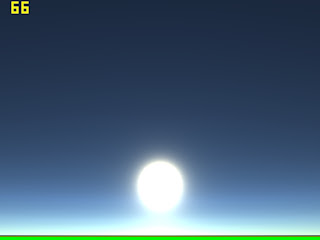
How to mix an atmospheric model with "radial blur" to achieve outdoor shafts of light ? Well, draw your dome with your atmospheric shader, write (max(MiePhase) * ShaftsPower) to alpha value of backbuffer. Copy backbuffer's alpha to a smaller render target, use radial blur with projected sun 's position as center even if it's outside screen. Subtract radial blur's alpha from original rendertarget's alpha. Mix rendertarget with backbuffer to illuminate or darken, as you wish.

There is no artefacts when sun is behind viewer because the alpha map is done with the MiePhase function. If ShaftsPower is high enough, backbuffer's alpha values will be 1 even if the sun is behind viewer and it will causes artifacts. Using other functions can give smoother results
like log2( max(MiePhase) * 2500.0f ).

For the screenshots, i used log2( max(MiePhase) * 2500.0f ), 16 samples for radial blur, 256x256 rendertargets and a bloom effect( glow + highlight ). it's not 100% perfect yet.

Monday, April 16, 2007

Navier-Stokes equations


Working on NSE for fluid an cloud simulations based on chapter 38 of GPU Gems II. Really slow on CPU but looks amazing. Support buoyancy and vorticity, currently trying to port it to GPU.

Sunday, April 8, 2007

Cry Engine Approach


First : 256x256 RGBA FP16, Second : 8x8 RGBA FP16

After reading Real-Time Atmospheric Effects in Games, i implemented something using the same approach. In the paper, they used a 2D texture to store Mie / Rayleigh in-scattering integral which simplify shader code.

Instead of doing this, i store the Lin(r,g,b) and theta sun in a RGBA16F texture. I do most of ONeil's shader code in the CPU for viewing sky from ground. We still need to get Mie phase & Rayleigh phase function in the PS, but it's much more faster since there is no more loop. A 256x256 texture gives nice results without artifacts thanks to FP16 filtering. And instead of using 5 samples like in the ONeil's shader, we can choose a higher value ( increase CPU time ) which increase quality. The dome need to be highly tesselated if we want to use the theta sun from the texture or we will get a wrong shape of sun. We can also find theta sun in shaders by adding "Out.t1 = vEye - In.pos.xyz" to the vertex shader and "dot(vSunPos, In.t1) /length(In.t1)" to the fragment shader.

We can extend the idea by using a 3D texture for a full day/night cycle or to handle change of sky color when viewer fly and goes up in the atmosphere. I also tryed using a 32x32, 16x16, 8x8, 4x4 texture size. 8x8 is good choice but we can see few gradients when sun move from zenith. I still need to correct dome tessellation and texture creation to avoid this. Updating a 256x256 with 64 samples takes 5+ secs on a sempron 2600+, 8x8 with 64 samples is done in realtime 75fps+(VSync on). A high number of samples provides more accurate results, you will notice a small change if you only use 5 samples. 24 cycles for vertex shader, 8 cycles for fragment shader.

Note : 6200 TC Pci Express & 6200 AGP don't have FP16 filter...

Sunday, March 25, 2007

GPU Geometry Clipmaps Source

Now, GPUgc only updates visible levels. When a level that was not rendered last frame is now visible it partially or fully update it.

GPU Geometry Clipmaps Demo 25.03.2007
GPU Geometry Clipmaps Source 25.03.2007

Edit : Updating visible levels only boost FPS during motion at high height. On a low height, there is less update calls but they have more work to do (GPU (synthetize)/ CPU (decompress)), the user might feel some freeze during motion on downmarket CPU/GPU. Updating all levels prevent freezes but it's slower when user is at high height. ( choice is yours ).

Note : if you want to try using normal maps size twice clipmap ones change
"TexNormalSize = TexClipSize * 1;" to "TexNormalSize = TexClipSize * 2;"
In GPUGeometryClipmap(). In ComputeNormals.fx change
"p_uv2 = floor(p_uv2 + 0.5);" to "p_uv2 = floor(p_uv2 + 0.25);".